

DATA ONBOARDING
Get a new source ready for Splunk.
Inspect sample events and prepare the parsing, sourcetype, and field mappings your team needs to review.
AI FOR SPLUNK OPERATIONS
Troubleshoot issues, prepare onboarding configs, and find CIM gaps with AI that uses your Splunk context. Review the evidence and proposed changes.
Built for existing Splunk platform and security teams.
01 · Finding
Events have username, but CIM expects user.
02 · Inspect the evidence
… | table _time username user action03 · Proposed field alias
Not appliedFIELDALIAS-cim_user = username AS userReview the proposal. Execute an approved change separately, then check the result.
For Splunk Enterprise and Splunk Cloud Platform teams.
Splunk partner award winner, 202501 — START WITH A REAL JOB
Bring the work already waiting in your Splunk backlog. Leave with findings and proposed artifacts your team can review.
DATA ONBOARDING
Inspect sample events and prepare the parsing, sourcetype, and field mappings your team needs to review.
PLATFORM OPERATIONS
Use your Splunk context to investigate a failing search or data issue. Follow the queries and findings to the next check.
SECURITY DATA QUALITY
Check whether your events have the fields a CIM data model expects. Prepare fixes your security team can inspect.
02 — FOLLOW THE WORK
See how a CIM workflow moves through data inspection, field mapping, and a proposed configuration. The walkthrough recreates a product conversation; it is not a live session or a deployment result.
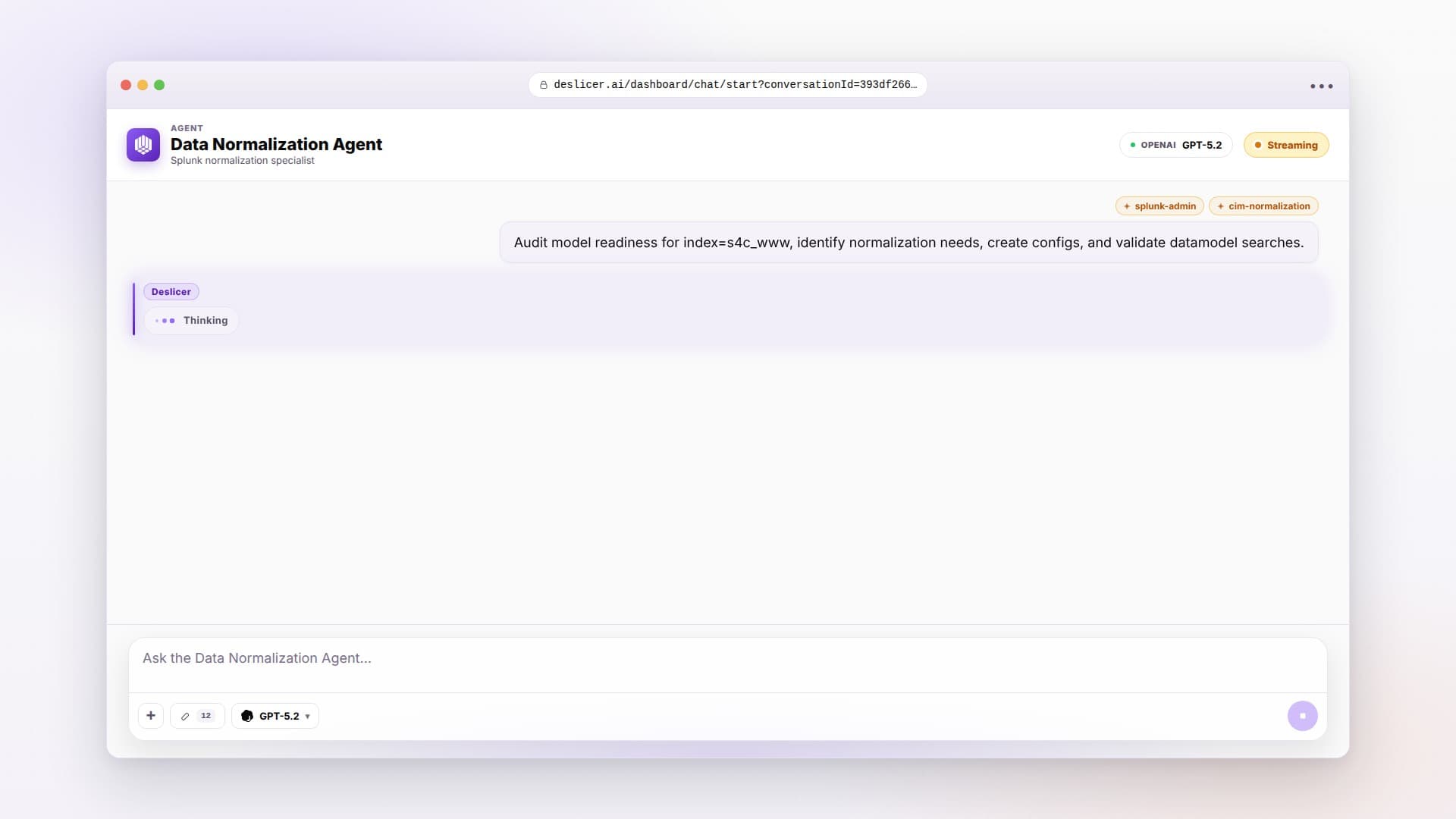
03 — FROM FINDING TO REVIEW
Connect the required integration with scoped access. Let the agent inspect the data and configuration available to that connection.
Follow the searches and findings. Review the proposed SPL, field mappings, or configuration alongside the evidence behind them.
For supported DAP change plans, review and approve the plan before execution. Check execution status and validate the result afterward.
Approval, execution, and verification are separate steps. A proposed change is not an applied fix.
04 — FITS YOUR SPLUNK PRACTICE
Deslicer works alongside your Splunk deployment and the people who operate it. Start with one workflow and agree what a useful result looks like.
Check the integrations05 — MORE WALKTHROUGHS
Recreated product walkthroughs. Choose a workflow and press play.
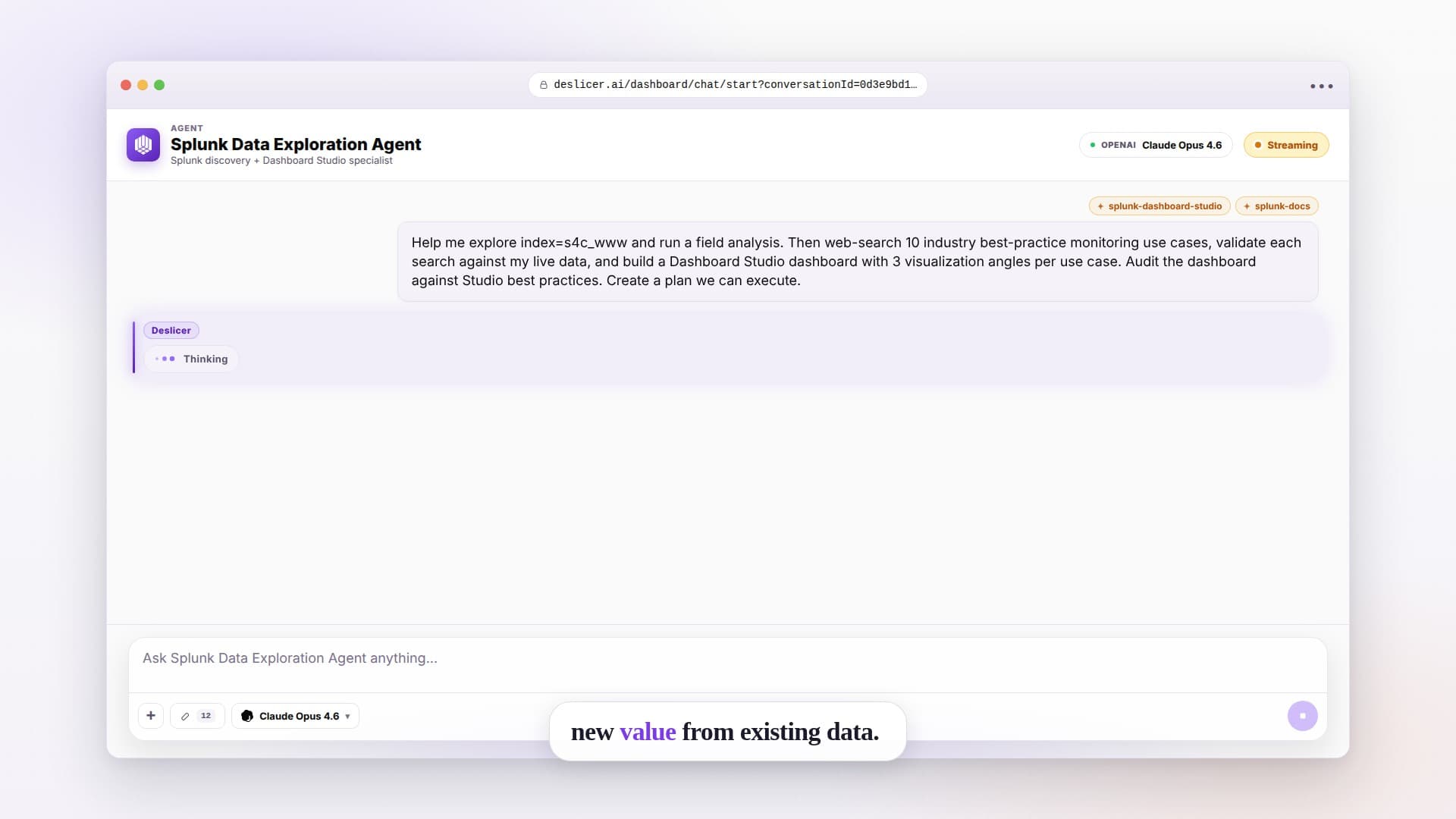
Follow a workflow from indexed data to proposed searches and dashboards.
Explore workflow: Explore more uses for your data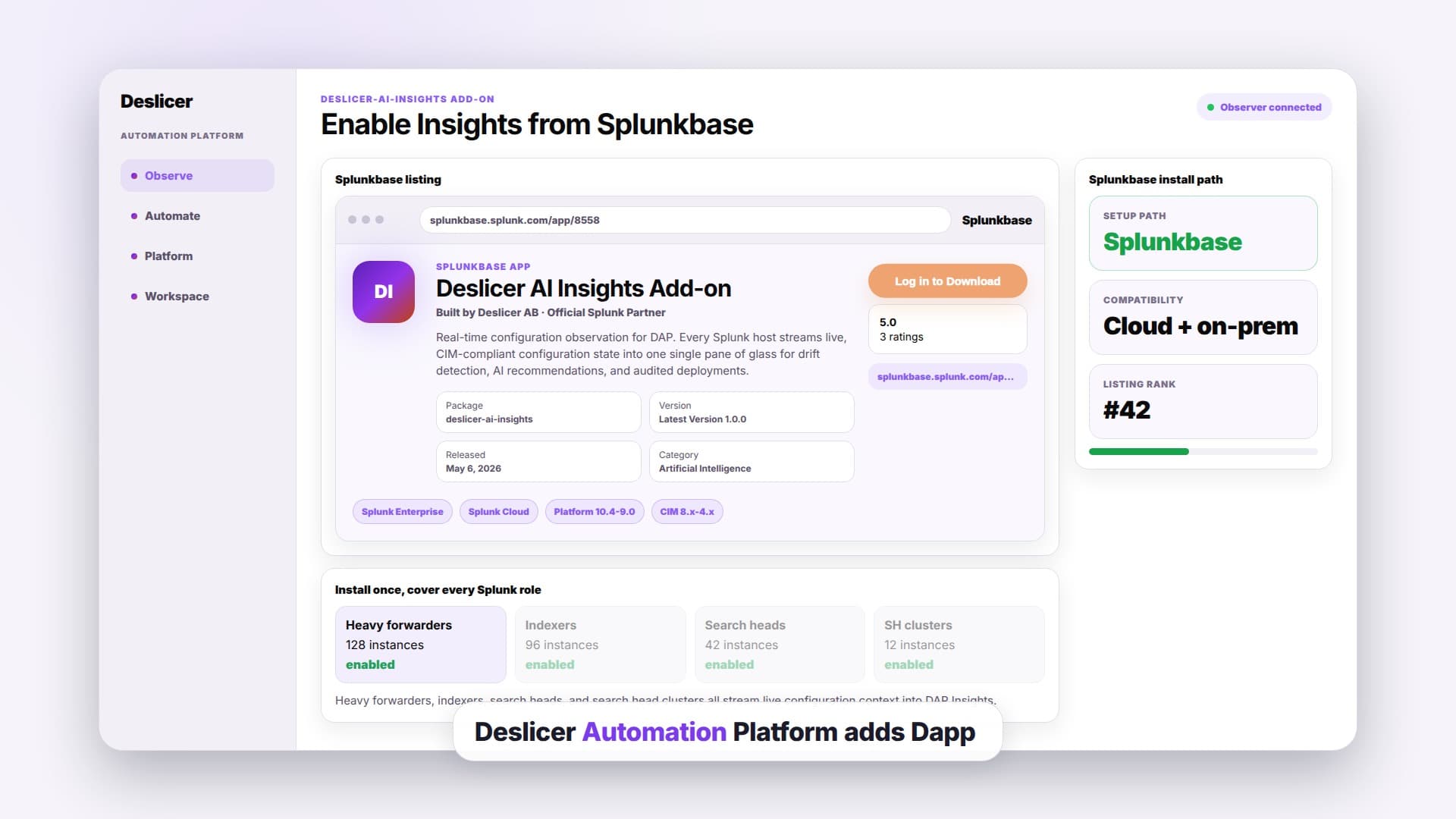
See how DAP Insights brings configuration findings together for review.
Explore workflow: Inspect your Splunk configurationShow us a data source, a failing search, or a CIM gap. We’ll walk through the findings, proposed output, and setup your team would need.
Request a Splunk demo7-day trial · €10 one-time signup credit · No credit card required
A focused walkthrough of one workflow and its requirements.